

 English
 Español (España)
 Español (México)
 Français
 Deutsch
 Nederlands
 Português (Brasil)
 Italiano
 עברית
 العربية
 日本語
Live conditions
Temperature, feels like, wind, gusts and chance of rain, in °F with mph or °C with km/h.
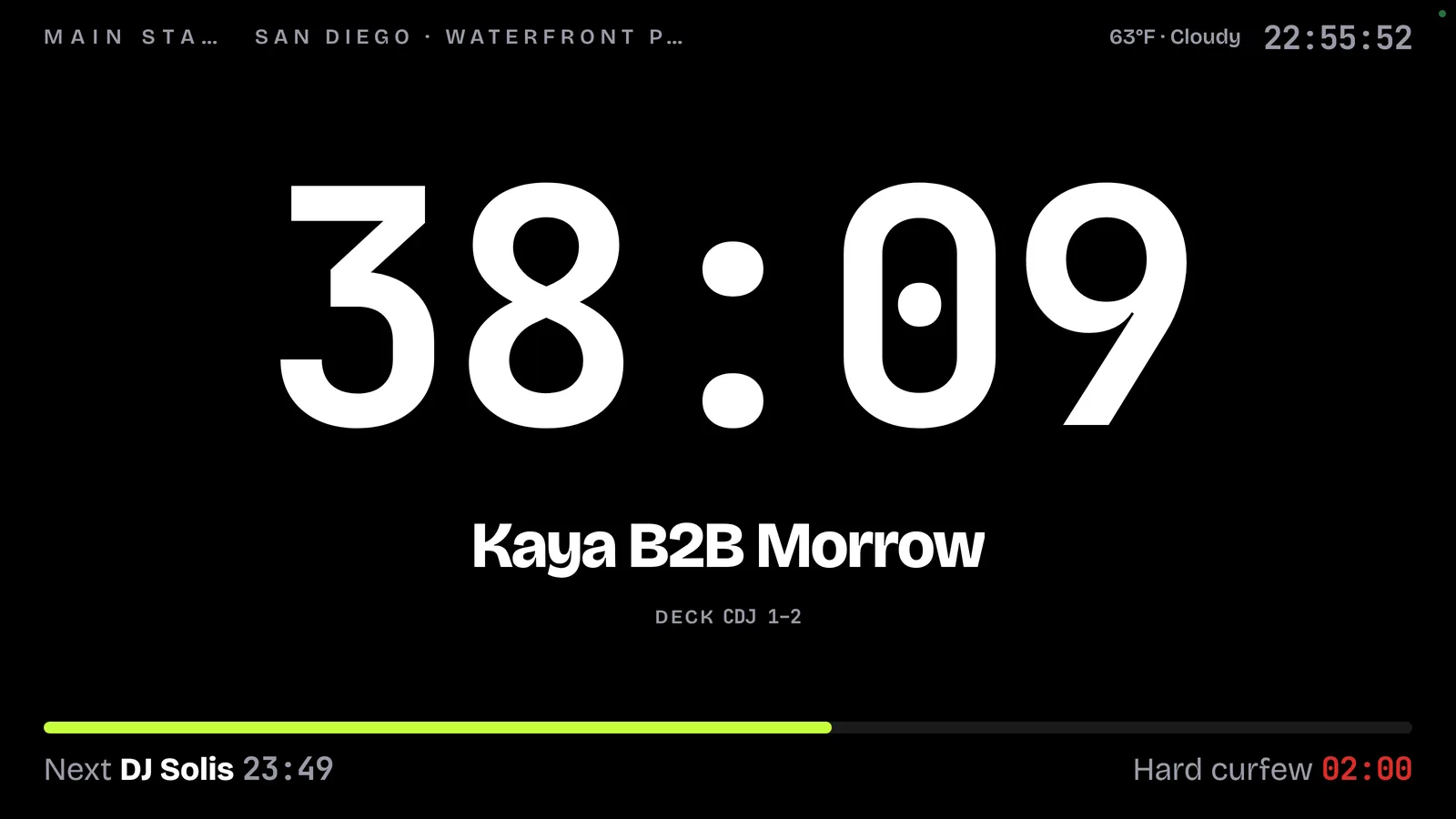
Import the full timetable, put a monitor on every stage and watch the whole site from the production office.
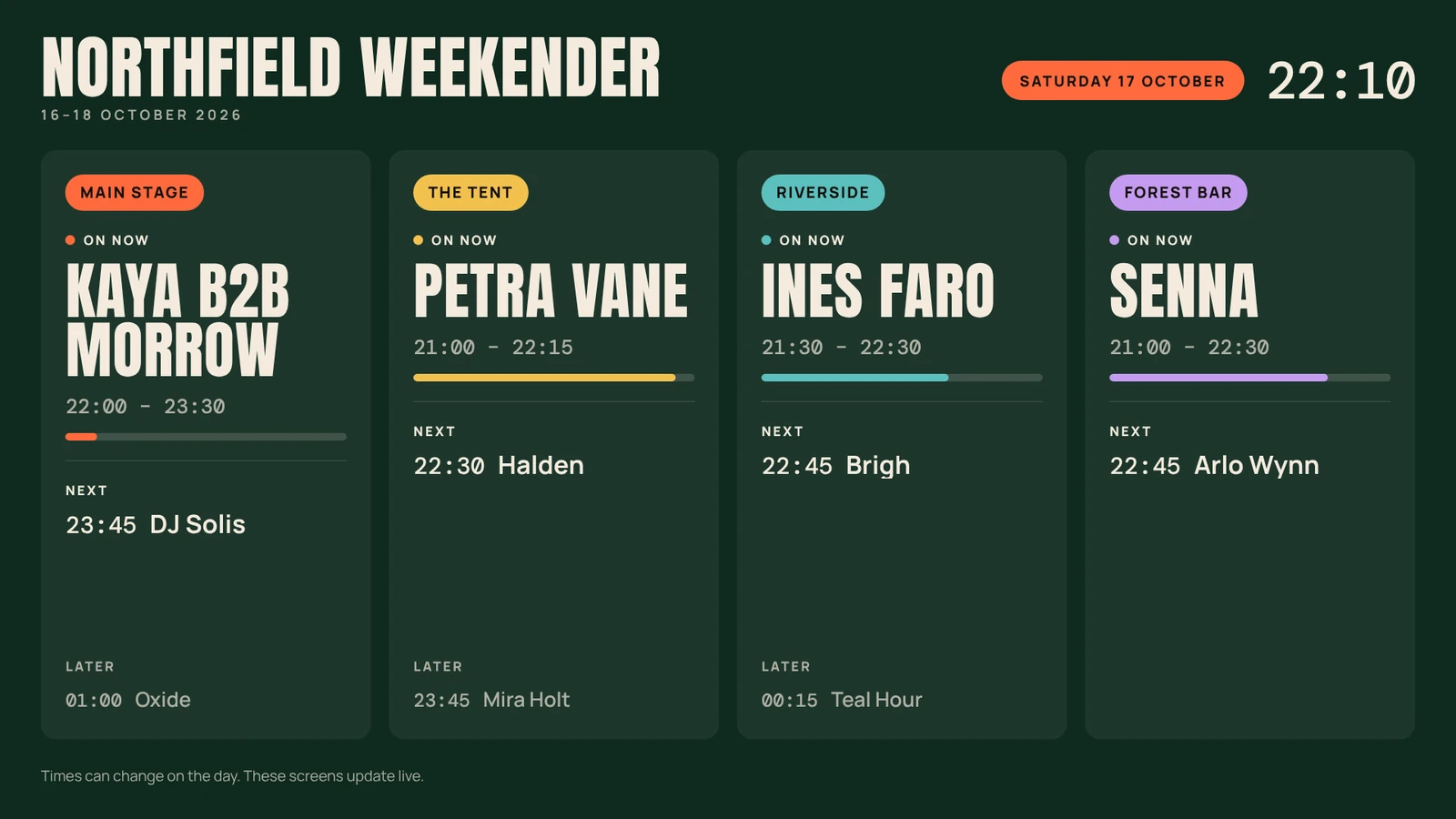
Lineup boards turn the TVs at the bars, the totems at the gates and the LED walls by the stages into a live lineup: who's on now, next and later on every stage. Times follow the show as it runs.
This is the fastest way to set up a festival. Photograph the official timetable and Setclock creates every day, every stage and every set, with changeovers in the gaps.
Drag the sample onto the drop area, or use the button. In this preview any photo returns the sample result; in the app, Setclock reads your own.
Your running order appears here.
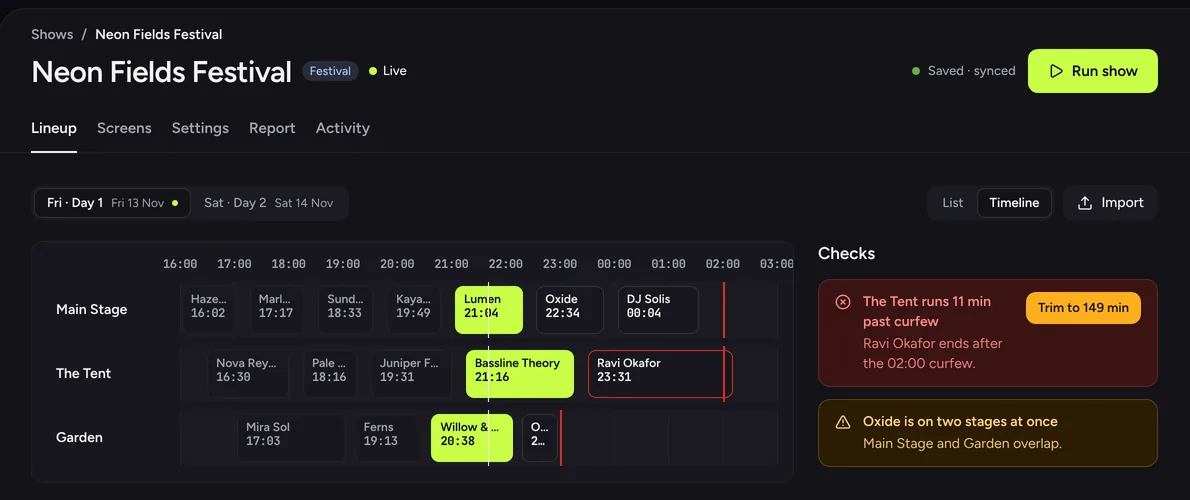
The timeline puts every stage of a day side by side, with each curfew drawn in. Checks run across stages, so a set past curfew or an artist booked on two stages at once can't hide.
Site ops shows every stage with who's on, time left, doors and curfew, with live weather and official alerts across the top. Official alerts come from the US National Weather Service (NWS) for US venues. The all-stages multiview fits 2 to 8 or more stages for FOH and the production office.
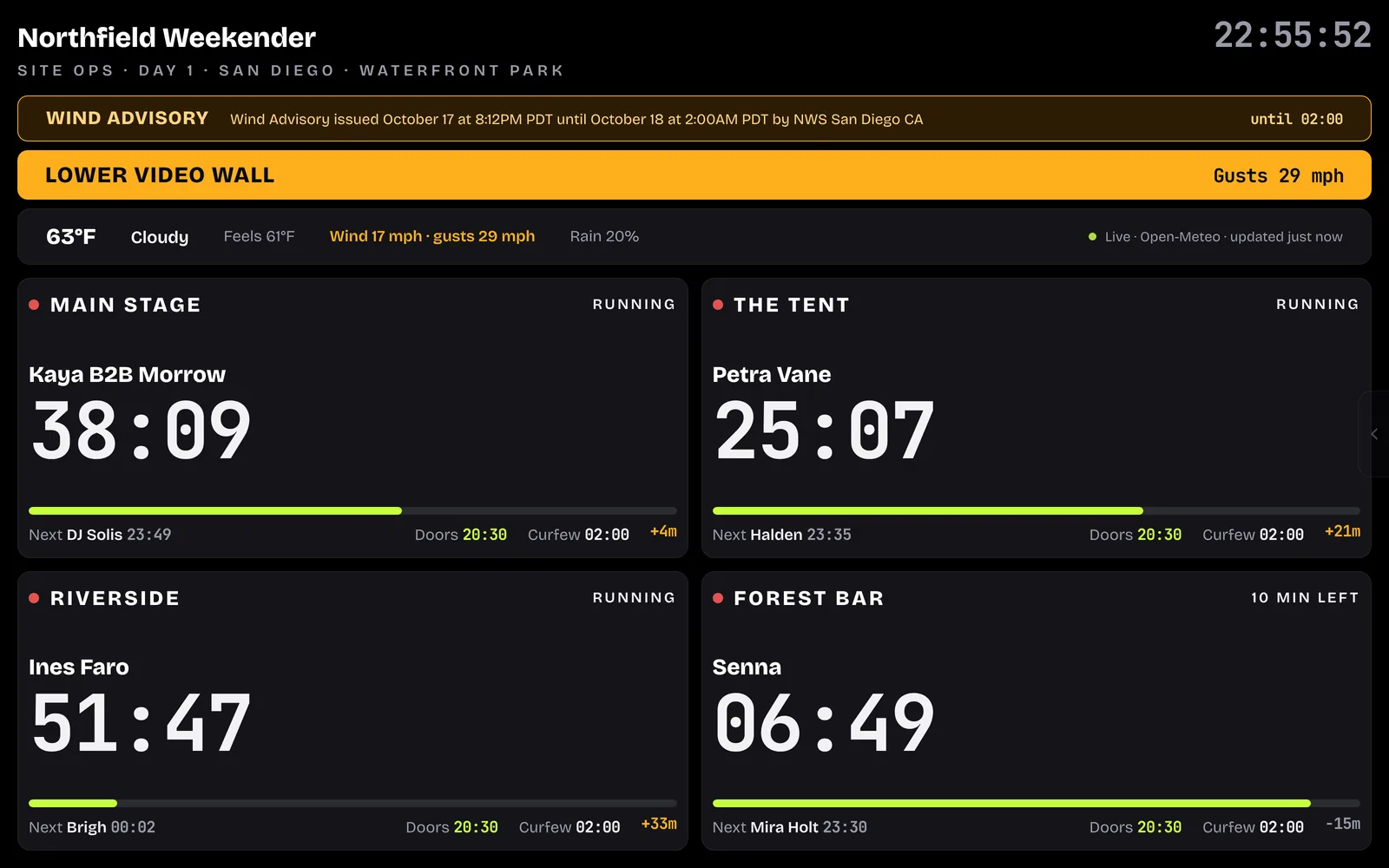
Live conditions on every screen that needs them, a wind plan that tells the crew what to do, and official alerts the moment they are issued. Weather never changes timing.
Temperature, feels like, wind, gusts and chance of rain, in °F with mph or °C with km/h.
Set caution and stop gust levels and name the action, like "Lower video wall". Site ops shows it full width the moment gusts reach it.
Watches, warnings and advisories from the US National Weather Service (NWS) for US venues, with when they end. Warnings show red, everything else amber.
From the US National Weather Service, for US venues
Stage links roll over to the right day by themselves. Set the screens up on Friday and leave them.
Choose one built around the lineup, not a single room. Setclock imports a whole timetable from a photo and adds changeovers, checks each stage's curfew with one-tap trims, and gives every stage one permanent monitor link for all days. The all-stages multiview and site ops screen cover the production office.
In Setclock, photograph the timetable. It reads days, stages, set times and lengths, adds changeovers in the gaps and sets everything to auto-start. You check each stage, fix names, then confirm. Spreadsheets work too: paste from Excel, open an Excel or CSV file, or link a Google Sheet that Setclock keeps following. 12-hour times like 9:30 PM convert to 24-hour.
Set doors and curfew for the show, then override them per day or stage. The curfew check projects each stage's finish from the live set and offers a one-tap fix, such as trimming a set. Hard curfew turns monitors red with SOUND OFF NOW; soft curfew counts down the overtime you allow.
Yes. Monitors can show temperature, wind, gusts and chance of rain from Open-Meteo. Festival site ops adds a wind plan with caution and stop gust levels and the action to take, and for US venues official National Weather Service watches and warnings. Weather never changes timing.
Use the all-stage alert in Run show, for example WEATHER HOLD. It takes two taps so it never fires by accident, and the message appears on every stage's monitor at once, even over a blackout. Clear it from Run show when the hold is over.
Yes. Each show's Report compares planned and actual start, end and length for every set, per day, with overtime, curfews met and cues sent. Share it as a CSV, a PDF or a link. Finished dated shows archive themselves once nothing is on stage.
Tell us about your festival, venue or tour. We'll email you an invite when your account is ready.